
Create Components V2
Build Discord's new Components V2 messages with an external builder.
Due to the complexity of Discord's new Components V2 system, SlashBot only supports creating these messages using an external component builder tool.
1. Starting the setup
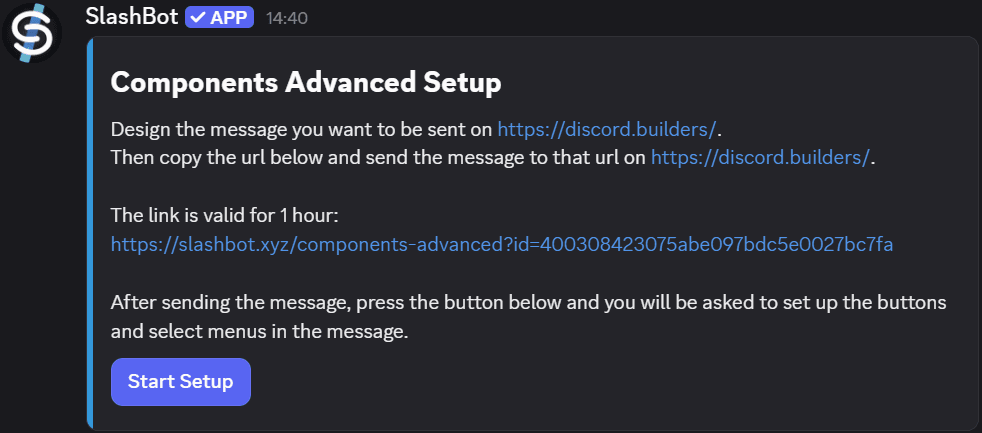
/components advanced create
Run the command. You will be prompted with a panel showing further instructions.
Click to enlarge
2. Configuring the components
- 1
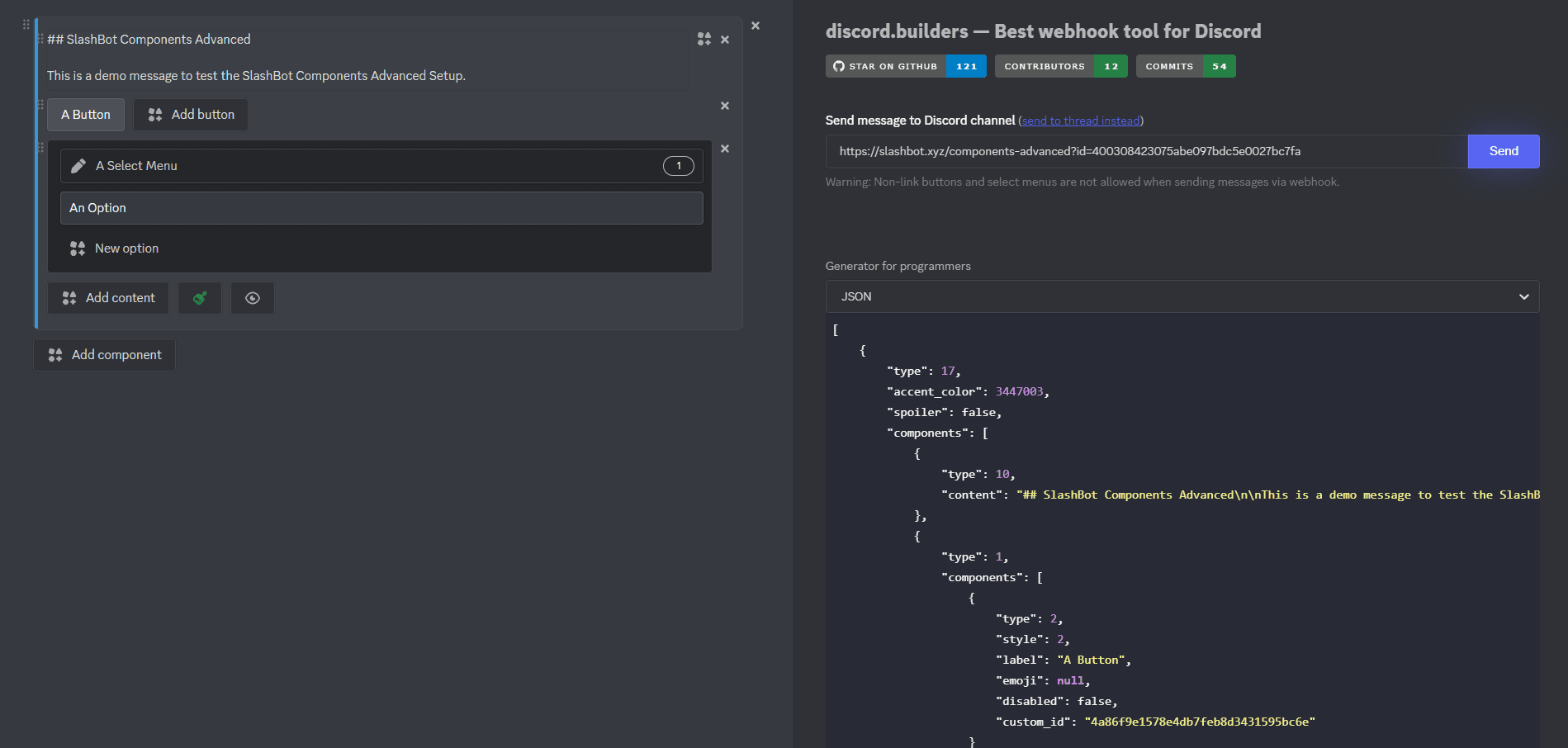
Visit discord.builders
Configure your Components V2 message using the visual builder. - 2
Export the JSON
After configuring, copy the generated JSON from the builder. - 3
Paste into the SlashBot panel
Paste the JSON into the input shown in the SlashBot panel. - 4
Send
Confirm to send the message to Discord.
Click to enlarge
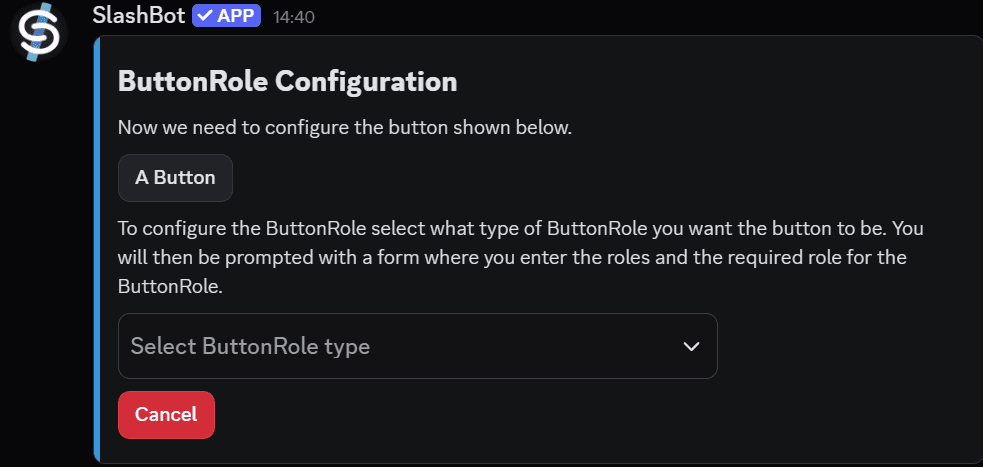
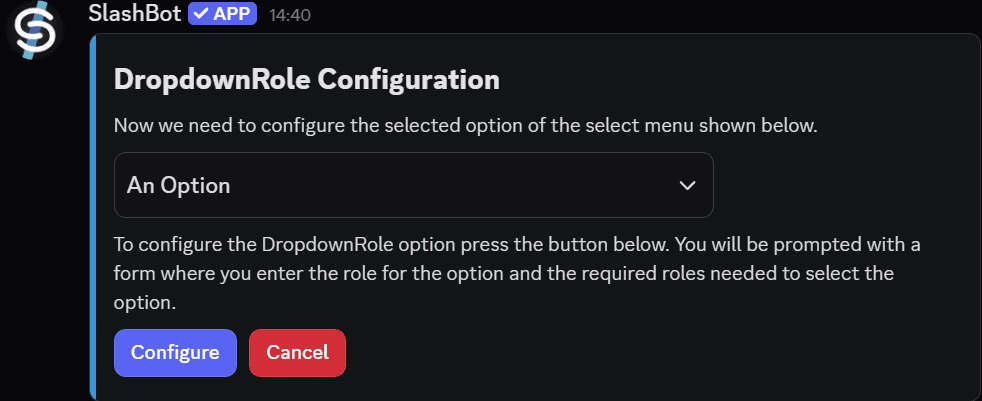
Adding ButtonRoles & DropdownRoles
After creating the message, you can still add ButtonRoles and DropdownRoles to it.
Click to enlarge
Click to enlarge
Components V2 is a newer Discord feature. Not all clients may display them correctly.